
Best Affordable POS Systems for Retail Stores in Canada

Running a retail business means balancing customer experience with efficient operations, and your point-of-sale system is at the centre of both.
A reliable POS setup keeps lines moving, supports staff, and integrates smoothly with the look and layout of your store.
If you’re opening a new location or replacing outdated equipment, the right system will help you serve customers quickly while supporting the way you manage inventory and staff.
Best Affordable POS Systems for Retail Stores
Affordable POS systems for retail are built from a mix of reliable hardware that covers both the front and back end of your operation.
On the back end, most retailers use standard office PCs or all-in-one computers from brands like HP or Lenovo, which handle administration, inventory, and staff timekeeping. These systems are simple and do not usually require specialized hardware.
The front end, where your staff interacts with customers, is where you need to focus. Frontend POS systems typically include a terminal, receipt printer, barcode scanner, cash drawer, and often handheld devices for mobile checkout or inventory reference.
This article will focus on frontend POS hardware because that’s where you can make the biggest difference for your customers and your staff.
Here are the devices we’ll cover:
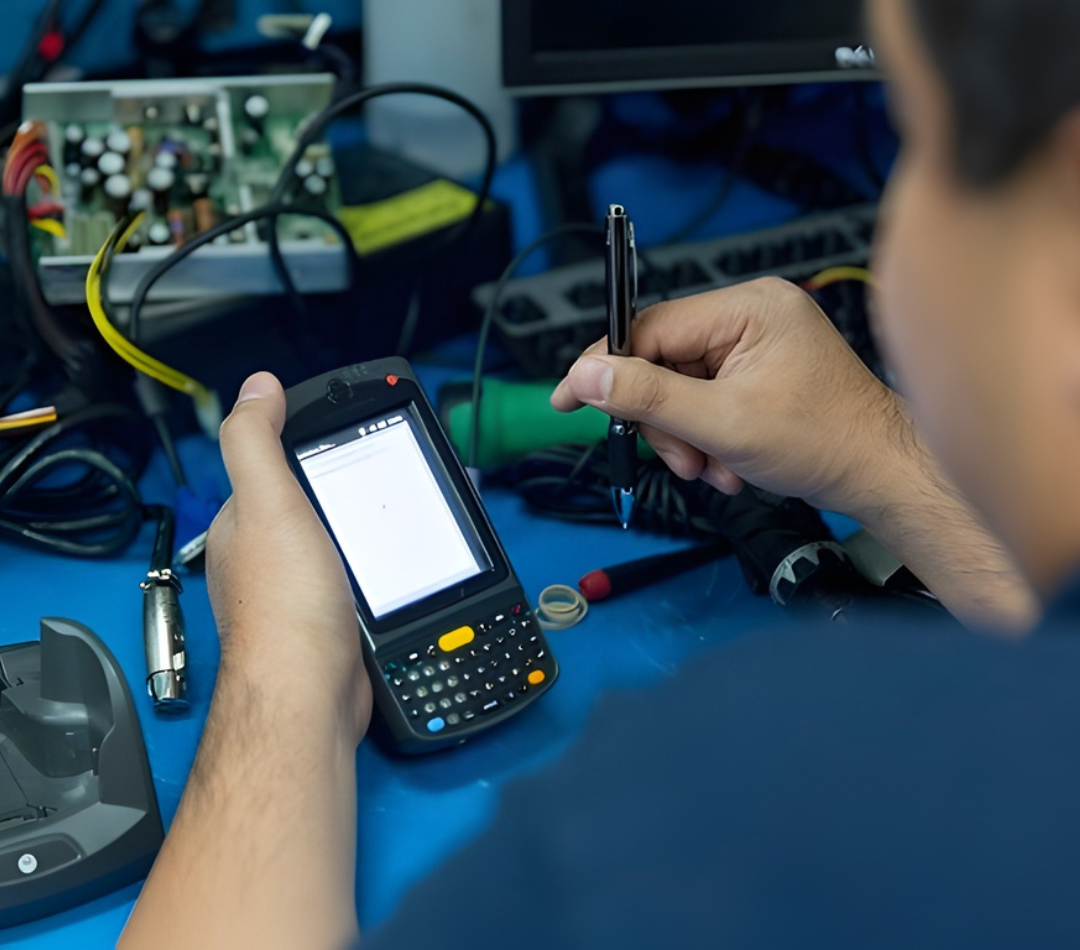
POSRG can help with your POS setup
The right hardware, expert installation, and reliable support — all from one team.
Talk to a POS Expert Today1. Terminals – HP Engage One Pro
Description
The HP Engage One Pro serves as a premium front‑counter terminal, blending sleek aesthetics with powerful performance. It functions as a central hub for cashier transactions, inventory look‑ups, customer self‑service, and accessory connectivity—all within a robust, sanitizable aluminium enclosure with cable management.
Specifications
| Feature | Details |
| Display | Touchscreen Full HD (FHD), anti‑glare, sizes: 15.6″, 19.5″, 23.8″; up to ~650 nits |
| Processor | Up to 10th‑gen Intel Core i9 (option); model shown specs: Intel Core i3‑10100E (3.2 GHz base, up to 3.8 GHz with Turbo Boost) |
| Memory | Up to 32 GB DDR4‑2666; shown spec: 8 GB DDR4 |
| Storage | Up to 1 TB NVMe; shown spec: 256 GB SSD |
| Security Features | HP Sure Start (BIOS protection), HP Sure Run (process protection), HP Sure Recover (reimaging), BIOSphere |
| Durability | MIL‑STD‑810G testing, dust/liquid resistant, sanitizable, 5‑year product lifecycle, 10‑year service life |
| Ports & Connectivity | RJ‑45 network, multiple USB (SuperSpeed), Powered serial, Powered USB (12 V/24 V), USB‑C with DisplayPort alt‑mode, cash‑drawer jack, security‑cable slot |
| Deployment Options | Multiple hub configurations (column, advanced, VESA), portrait/landscape, mounting flexibility |
| OS | Windows 10 IoT Enterprise (model spec) |
Why we recommend it – It offers powerful, reliable performance in a sleek, hygienic, long‑lasting design. Designed with flexible mounting and numerous ports, it supports a wide range of retail accessories. Advanced security features and durable build mean it handles daily wear while keeping sensitive operations safe and manageable.
2. Receipt Printers
2A. Epson TM‑T88VII (OmniLink)
Description
The Epson TM‑T88VII (OmniLink) is a high‑speed thermal receipt printer designed for busy POS environments. It excels at quickly processing transactions, handling online ordering workflows, and supporting modern connectivity—while being compact and reliable.
Specifications
| Feature | Details |
| Printing Technology | Direct thermal, thermal‑line |
| Print Speed | Up to 500 mm/s (approx. the fastest in its class) |
| Resolution | 180 dpi |
| Media Width | 58 mm or 80 mm; max roll diameter 83 mm |
| Dimensions (W×D×H) | Approx. 145 × 195 × 148 mm (5.7″ × 7.7″ × 5.8″) |
| Weight | Approx. 1.6–1.7 kg |
| Interfaces | Built‑in USB (Type A & B), Ethernet (10/100 Base‑T), optional RS‑232, PoweredUSB, parallel, Wi‑Fi, NFC |
| Features | Server Direct Print, ePOS Print/Display/Device, multi‑interface sharing, paper‑saving mode, vertical mounting |
| Durability | Long life printhead (200‑km), auto cutter (3 million cuts), 4‑year limited warranty |
| Environmental | Lower noise, reduced power, supports phenol‑free paper |
Why we recommend it – It handles high‑volume demands with unmatched speed and reliability. The wide array of ports and cloud‑ready features make it flexible for evolving retail setups. Backwards compatibility (footprint, software) ensures seamless upgrades—without needing counter redesign or software overhaul.
2B. Epson TM‑T88V
Description
The Epson TM‑T88V is a reliable, mid‑speed thermal printer widely used in retail and hospitality. Often considered a cost‑effective workhorse, it offers solid performance and broad compatibility with legacy POS systems.
Specifications
| Feature | Details |
| Printing Technology | Direct thermal |
| Print Speed | Up to ~300 mm/s (11.8 in/s) |
| Resolution | 180 dpi |
| Dimensions (W×D×H) | Approx. 145 × 195 × 148 mm |
| Weight | Approx. 1.6 kg |
| Interfaces | USB, serial (RS‑232), parallel, Ethernet, Bluetooth or Wi‑Fi (model‑dependent) |
| Media Width | 58 mm or 80 mm; roll diameter up to 83 mm |
| Additional Specs | Supports graphics, text, barcodes (including 2D like QR/PDF417), compatible across Windows, Mac, Linux |
| Legacy Support | Works with many older systems, inexpensive and easy to replace |
Why we recommend it – It delivers dependable, familiar performance that integrates smoothly with a wide range of existing POS setups. If you’re upgrading older systems or need a budget‑friendly option that avoids compatibility issues, it’s the practical choice.
3. Barcode Scanners
3A. Zebra DS 9308 / DS 9808 (presentation‑style, wireless, mobile‑friendly)
Description
These Zebra scanners are high‑performance presentation-style imagers designed for busy checkout counters. The presentation base allows hands‑free scanning of products at the till, while the wireless (or hybrid) model gives staff the flexibility to pick up and scan items wherever needed—ideal for mobile checkout, assisted selling or inventory tasks.
Specifications
| Feature | Zebra DS 9308 | Zebra DS 9808 |
| Scan Type | 1D/2D presentation imager | Hybrid imager (presentation & handheld) |
| Image Sensor | Around 1280 × 800 px | (Similar presentation + optional RFID capabilities) |
| Durability | — | Withstands multiple 1.5 m drops to concrete |
| Additional Features | Hands‑free scanning | EAS deactivation, RFID support, Remote Scanner Management |
| Typical Weight / Size | ~318 g; compact housing | Larger, hybrid form factor |
| Lighting Tolerance | — | Works under strong indoor/outdoor lighting |
Why we recommend it – The hands-free capability speeds up cashier operations at high‑volume counters. The DS 9808 goes further: it integrates EAS tag deactivation and RFID support, reducing the number of devices needed at the point of sale—streamlining setup, lowering capital cost, and boosting reliability.
3B. Data Logic scanners (alternate option to Zebra)
Description
Data Logic (Datalogic) offers a range of barcode scanners—both presentation and handheld—that serve as a flexible alternative to Zebra. They cover everyday retail needs with solid scan performance, ergonomic builds, and competitive pricing, making them a good fallback choice for existing Datalogic environments or budget-conscious upgrades.
Specifications
| Feature | Typical Specification |
| Scan Type | 1D / 2D imager (varies by model) |
| Connectivity | Wired (USB/RS‑232) and wireless (Bluetooth) |
| Ergonomics | Often handheld or presentation‑style options |
| Durability | Generally robust, rated for multiple drops |
| Special Features | Some include motion sensing, intuitive aiming, mobile coupon support |
Why we recommend it – They serve as a reliable, cost-effective backup to Zebra, especially when compatibility or budget is a concern. Many retail operations already run Datalogic scanners, ensuring seamless integration without re-training or reconfiguration.
3C. Integrated tablet scanners (used in HP Engage)
Description
Some modern POS systems integrate barcode scanning directly into tablet-based terminals—like the HP Engage. This saves space and reduces device count—but at the cost of flexibility. Staff cannot handhaul them for mobile scanning, and they may lack advanced scanning features found in dedicated devices.
Specifications
| Feature | Integrated Tablet Scanner (e.g. HP Engage) |
| Scan Type | Built‑in 1D/2D imaging module |
| Mobility | Fixed to the terminal—no handheld or presentation use |
| Performance | Suitable for light‑to‑moderate scanning tasks except high volume |
| Integration | Seamless with terminal OS and hardware |
| Size/Form Factor | Minimal additional footprint over standard tablet |
Why we recommend it – Ideal for retailers prioritizing a minimalist, sleek setup—such as boutique environments or mobile pop‑up stores—where scan volume is modest and staff don’t need to walk around with a scanner.
4. Cash Drawers
4A. APG Vasario series
Description
The APG Vasario series are standard-duty cash drawers designed for low‑ to medium‑volume retail environments. They integrate easily with printers or POS terminals via RJ45 (MultiPRO) interface, and offer sturdy construction with security features—making them a dependable everyday option.
Specifications
(VB320‑1‑BL1616)
| Feature | Details |
| Dimensions (W × D × H) | ~16.2 × 16.3 × 4.3 inches (41 × 41.4 × 10.9 cm) |
| Material / Finish | Steel, painted front (black) |
| Till Configuration | 5 bill + 8 coin adjustable till |
| Interface | MultiPRO‑320 (RJ45), printer-driven |
| Security Features | 4‑function lock (closed, open, manual, electronic) |
| Media Slots | Two slots for media slips without opening drawer |
| Durability | Tested for at least 1 million operations |
| Environmental Rating | Operates 0–40 °C; stores –22 to 50 °C |
Why we recommend it – It balances cost‑effectiveness with durability and useful features. The multi‑function lock and sturdy build endure daily use, while the media slots and RJ45 integration help keep counter area neat and efficient.
4B. CDITR 16‑inch drawer
Description
The CDITR 16‑inch cash drawer is a basic, manual‑open POS drawer, offering a compact solution for retailers needing simple, reliable cash storage without electrified interfaces. Well-suited to low‑volume or budget-focused checkouts.
Specifications
| Feature | Details (approximate) |
| Dimensions (W × D × H) | Around 16.25 × 16.75 × 4.25 inches |
| Material / Finish | Alloy steel, often with stainless‑steel front |
| Till Configuration | Typically 5 bill + 5 coin compartments |
| Opening Mechanism | Manual push button (no power connection needed) |
| Additional Features | Plastic till, movable till, 6 keys included |
Why we recommend it – For operations where electrified drawer opening isn’t essential, this model keeps things simple, affordable, and reliable. It fits snugly into compact counters and doesn’t demand extra cabling.
5. Mobile / Handheld Devices
5A. Zebra TC2X Series (TC22)
Description
The Zebra TC2X series (such as the TC22) is a rugged, smartphone-style mobile computer built for modern retail environments. It streamlines inventory management, price checks, mobile checkout, and line‑busting tasks. With enterprise-grade durability and advanced connectivity, it keeps staff efficient whether on the floor or behind the scenes.
Specifications
| Feature | Details |
| Display | 6.0″ FHD+ (1080×2160), LED, ~450 nits, Corning Gorilla Glass |
| Dimensions / Weight | 165 × 76.3 × 12.5 mm; 236 g (standard battery) |
| Processor | Qualcomm® 5430 hex‑core, 2.1 GHz |
| Memory / Storage | 6 GB RAM/64 GB; 8 GB RAM/128 GB |
| Battery | Removable Li‑Ion PowerPrecision+ – Standard 3 800 mAh, Extended 5 200 mAh |
| Connectivity | Wi‑Fi 6E, Bluetooth 5.2, (TC27 adds 5G/CBRS/WWAN) |
| OS | Android (upgradeable up to Android 16) |
| Durability | IP68-rated, drop‑resistant, suitable for heavy use |
Why we recommend it – It blends a modern form factor with enterprise-level features—durable, upgradeable, fast, and fitted with top-tier wireless tech. Perfect for staff needing mobile flexibility without compromising toughness.
5B. Datalogic Memor 11 / Memor 12 (formerly Memoir)
What it is in a retail setting
The Datalogic Memor 11 and 12 are compact, semi‑rugged handheld computers for mobile retail workflows—think shelf scanning, stock checks, and order fulfilment. They include advanced barcode engines with visual feedback, long battery life, and secure, enterprise-ready Android platforms.
Specifications – Memor 11
| Feature | Details |
| Display | 5″ HD (720×1280) touchscreen |
| Memory / Storage | 4 GB RAM, 32 GB Flash (expandable via microSD) |
| Processor | Octa‑core up to ~2.3 GHz |
| OS | Android 11 (Android Enterprise Recommended) |
| Scanner | 2D imager with Datalogic Green Spot visual confirmation |
| Battery | Hot‑swappable, wireless charging, SafeSwap™ technology |
| Durability | IP65-rating; rugged, tumble‑resistant |
Specifications – Memor 12
| Feature | Details |
| Display | ~6″ Gorilla Glass 7 full touch |
| Connectivity | Wi‑Fi 6E, 5G (optional), Wi‑Fi, GPS |
| Scan Engine | Halogen™ 2121DL with Green Spot and DeepSight™ |
| CPU | Qualcomm QC4490 |
| Memory / Storage | Supports Swap Memory (virtual RAM), enterprise-grade |
| Battery | Flexible charging: USB‑C, wired cradle, wireless cradle |
| Durability & Support | MIL‑STD 810H, rugged build; 4+4 years HW/SW support, eco packaging |
Why we recommend it – These devices excel in demanding mobile roles—they combine ruggedness with advanced scanning, long battery life, and future-proof connectivity. The Memor 12 advances that with modern network support and extended lifecycle.
5C. Elo Handheld (M60 Pay)
Description
The Elo handheld devices merge mobile POS and inventory tools. With integrated barcode scanning, NFC/contactless payments, and a sleek touchscreen, they function as compact all-in-one units for curbside pickup, line-busting, and table-side checkout.
Specifications – Elo M60 Pay
| Feature | Details |
| Display | 6″ HD (1440×720), Gorilla Glass, 430 nits |
| Processor | Qualcomm Snapdragon 660 octa‑core (2.2 GHz) |
| Memory / Storage | 3 GB RAM, 32 GB Flash (expandable) |
| OS | Android 10 with GMS, upgradeable to Android 12 via subscription |
| Scanner | 2D imager (SE4720) on select models |
| Payment Features | Integrated NFC, EMV contactless, MSR, PCI‑PTS 6.x, Apple/Google/Samsung Pay |
| Connectivity | Wi‑Fi, Bluetooth 5.0, optional cellular (nano‑SIM), GPS |
| Battery | 4 000 mAh Li‑Polymer with Quick Charge 4 |
| Durability | IP54‑rated, drop‑tested, streamlined design |
Why we recommend it – Elo’s handheld units do more with less—they simplify retail operations by combining scanning, payments, and computing in one ergonomic device. Ideal for flexible, mobile retail settings.
6. Self‑Service / Touchscreen Kiosks – ELO Touchscreens
Description
ELO touchscreen kiosks—such as the 26‑inch open‑frame model—provide interactive, customer‑facing experiences in stores. They handle tasks like self‑checkout, loyalty sign‑ups, interactive product browsing, or digital signage. The open‑frame design simplifies integration into enclosures or kiosks, helping retailers deliver branded self‑service capabilities.
Specifications
(ELO 2639L 26‑inch open‑frame touchmonitor)
| Feature | Details |
| Screen Size | 26‑inch LCD open‑frame (discontinued; replacement models available) |
| Touch Technology | IntelliTouch (touch‑designed reliability; durable glass overlay) |
| Interface | Dual‑mode Serial / USB interface |
| Mounting | Standard (“L”) VESA mounting brackets included |
| Integration | Designed for OEMs and systems integrators in retail self‑service |
Why we recommend it – Its open‑frame, touch‑ready design allows seamless integration into kiosks or interactive setups. The dual interface options and rugged touch surface make it dependable in high‑use retail environments.
7. Mounting Equipment – SpacePole Custom Mounts
Description
SpacePole provides mounting solutions tailored for retail POS environments—such as custom VESA mounts, adjustable poles, swingarms, and kiosk enclosures. These ergonomic and modular mounts support peripherals, displays, payment devices, and touchscreens in a clean, accessible setup—especially useful when aesthetics and flexibility matter.
Specifications
| Feature | Details |
| Product Variety | Arc™, Classic™, POSlift™, mounts for counters, poles, wall, ceiling |
| Design Philosophy | Ergonomic, modular, configurable, customisable (in‑house laser cutting, 3D printing) |
| Arc™ Mount | Ultra‑minimalist VESA solution for slim POS screens, supports adjustable orientation and mounts |
| Classic™ Mount | Counter‑mounted VESA system; supports both portrait/landscape orientations, internal cable management and height adjustment |
| Accessories | Tilt and rotation options (e.g., stack mount with adhesive pad, tilt/rotate functionality) |
Why we recommend it – SpacePole mounts offer stylish, space‑efficient, and flexible installations. They support evolving retail hardware needs—whether slim POS screens, self‑service kiosks, or peripheral expansions—while ensuring tidy cable routing and ergonomic positioning.
Don’t Go For the Cheapest Option – It Costs More in the Long Run
Buying the cheapest POS hardware might save you money upfront, but it often creates problems that cost more later.
Low-quality equipment tends to break down faster, needs frequent repairs, and can leave your staff struggling with slow or unreliable systems. A malfunction at the checkout during busy hours doesn’t just frustrate your team—it drives customers away.
Instead of cutting corners, choose equipment that’s known to perform well in retail environments. Devices like Epson receipt printers or Zebra scanners have a track record of handling high-volume use, and terminals from trusted brands like HP are designed to keep working even in demanding setups.
When you invest in quality from the start, you save yourself the cost of constant replacements and the risk of lost sales.
Consider a Refurb
If you want reliable hardware without paying for brand-new equipment, refurbished POS systems are a smart option.
Refurbished units give you access to commercial-grade terminals, scanners, and printers at a lower price point, often backed by warranty and service plans. Unlike cheap off-the-shelf devices, refurbished hardware was originally built for the retail environment and then restored to full working condition.
For growing businesses, this option lets you stretch your budget while still maintaining the speed and dependability your customers expect.
POSRG Specializes in Retail POS Solutions – Let Us Help Your Business
Choosing the right POS hardware can feel overwhelming, but you don’t have to figure it out alone. POSRG specializes in retail solutions and understands how to balance performance, cost, and store design.
We don’t just supply hardware—we provide guidance, installation, and long-term support to keep your systems running smoothly.
If you’re ready to upgrade or start fresh, reach out to POSRG today. Our specialists, based in Burlington, ON, will work with you to build a POS setup that fits your store, your budget, and your customers.
Contact Us Today